How do I change my currently registered email address to a new one?
To change your current registered email address, please log into your account at: https://ViralURL.com/login.php
Now click on your name or Avatar image left of the logout button at the top of the dashboard...
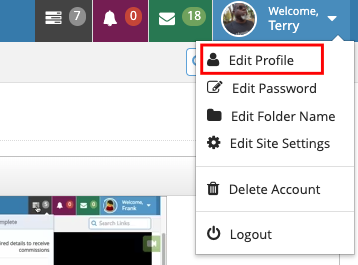
A opens and then you will see your 'Personal Information,' then, change the current 'Email Address' field to the one you wish and then click on 'Click Here To Save Your Account Details.' Your new email address will be saved and a link will be sent to it for your confirmation.
If you are having trouble doing the aforesaid steps, please send us a request with the new email address at the helpdesk instead and we will be happy to change it for you.